
Gaze
For Android
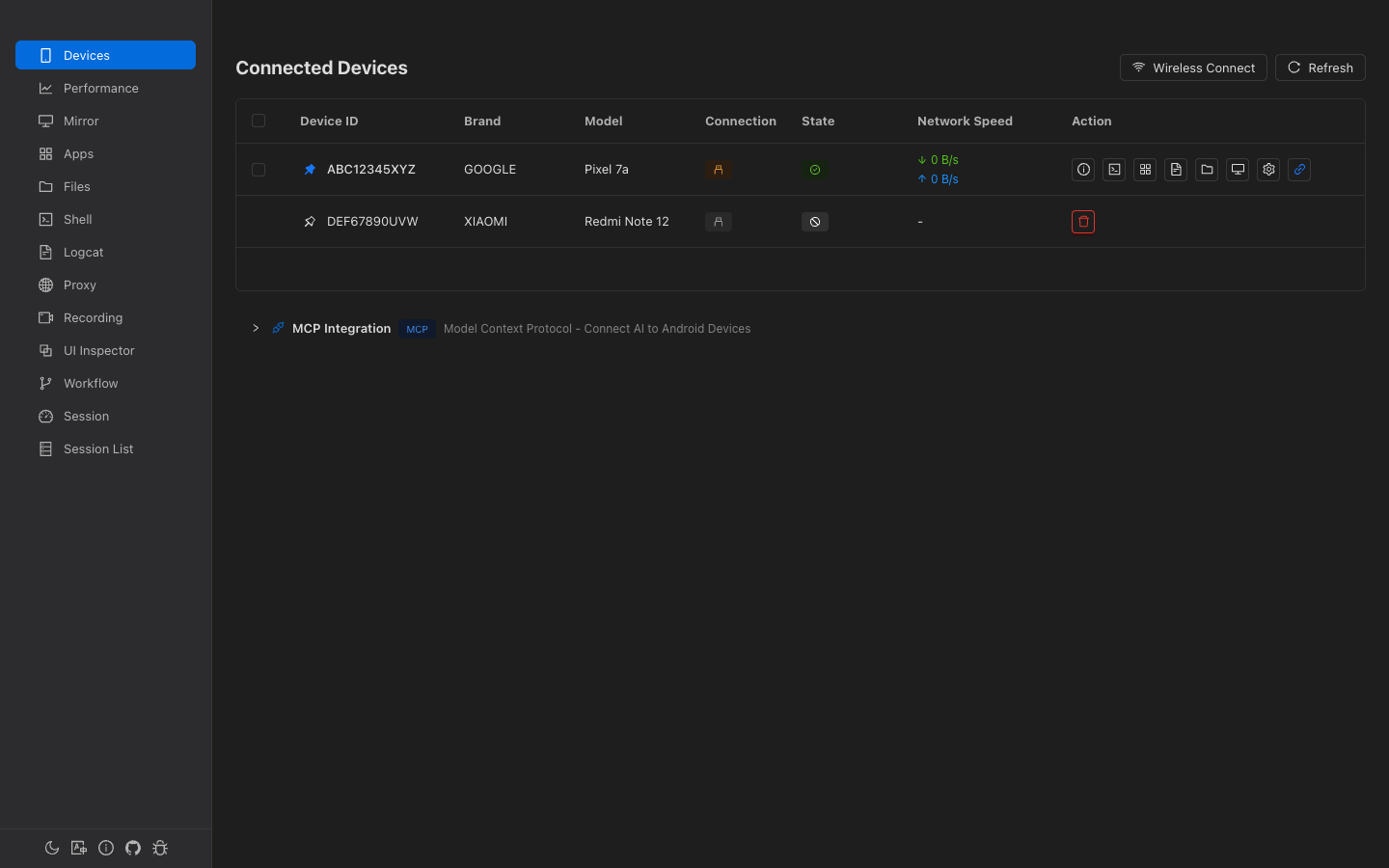
Mirror · Files · Apps · Shell · Logcat · Proxy · Recording · UI Inspector · Workflow · Sessions · MCP
macOS · Windows · Linux
Mirror & Recording
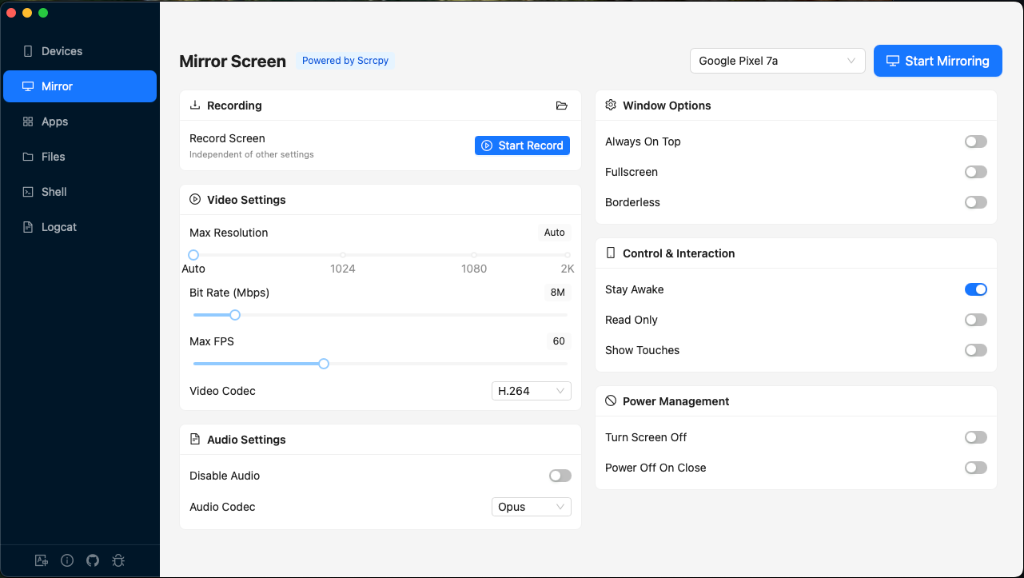
Low-latency scrcpy mirroring with audio forwarding. Keyboard and mouse control. Multi-device simultaneous recording. Background recording with system tray.
File Manager
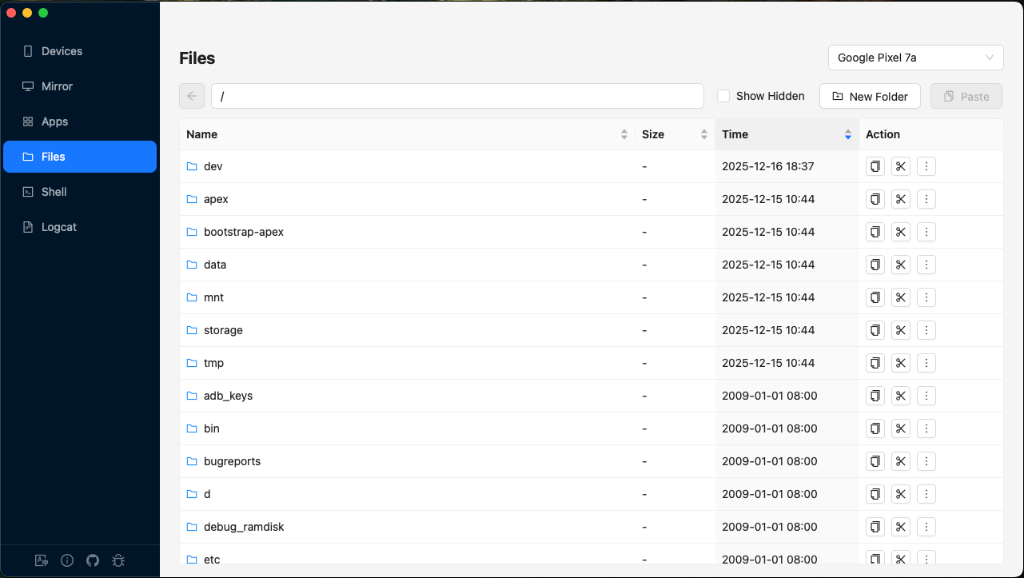
Drag-and-drop upload and download. Copy, cut, paste, rename, delete. Navigate system directories. Batch file operations.
App Manager
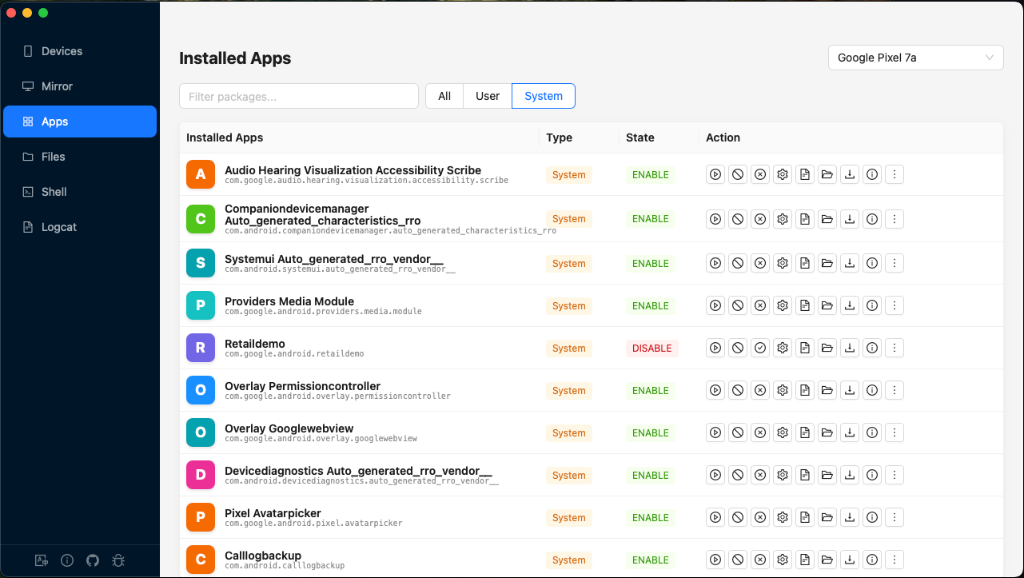
Drag-and-drop APK/XAPK/AAB install. Export APK to local. Uninstall, force stop, clear data. View package details, permissions, activities, services.
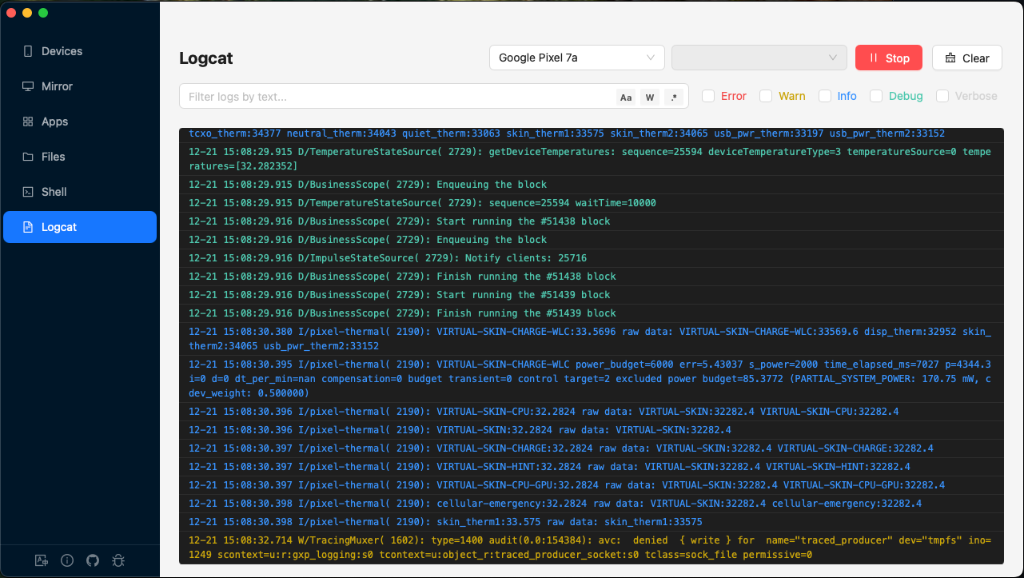
Logcat
Real-time log streaming with filters by package, tag, level. Regex search. Pre-filter and exclude rules. Export logs to file.
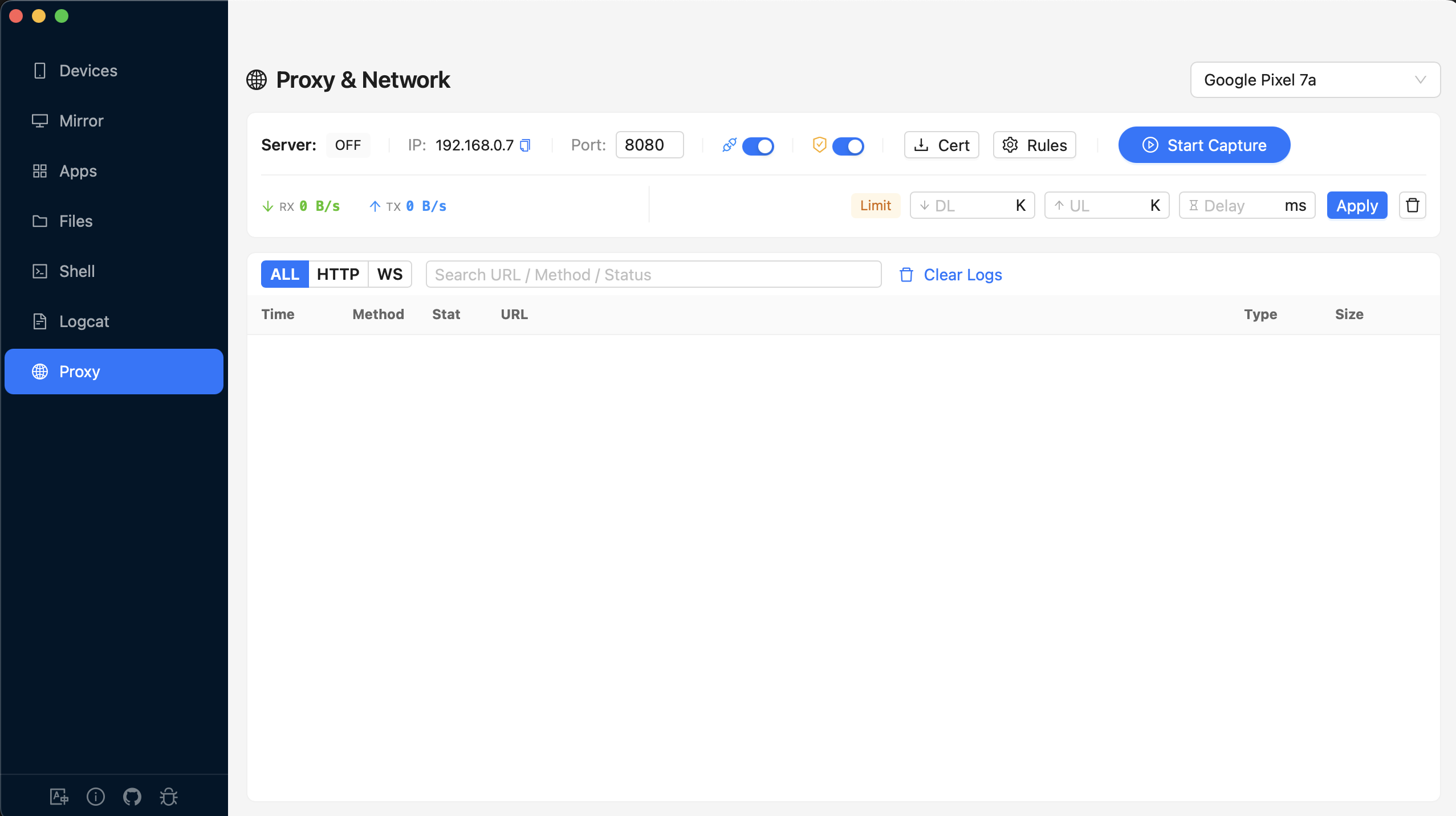
Network Proxy
HTTP/HTTPS traffic capture with MITM decryption. Mock rules, breakpoints, URL remapping, and auto-rewrite. WebSocket support. Bandwidth throttling and latency simulation.
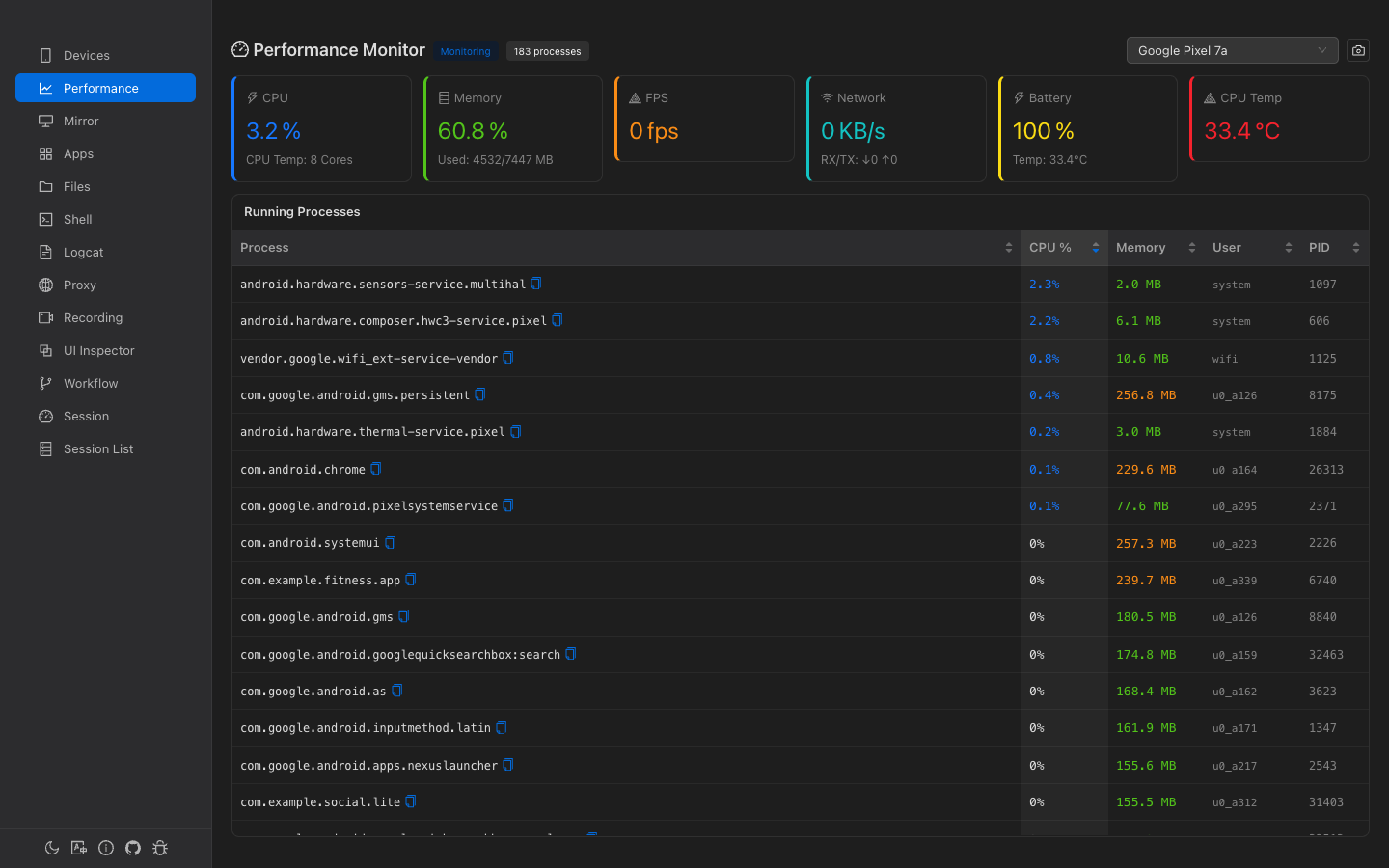
Performance Monitor
Real-time CPU, memory, FPS, network I/O, and battery monitoring. Per-app resource tracking. Process-level detail with memory breakdown.
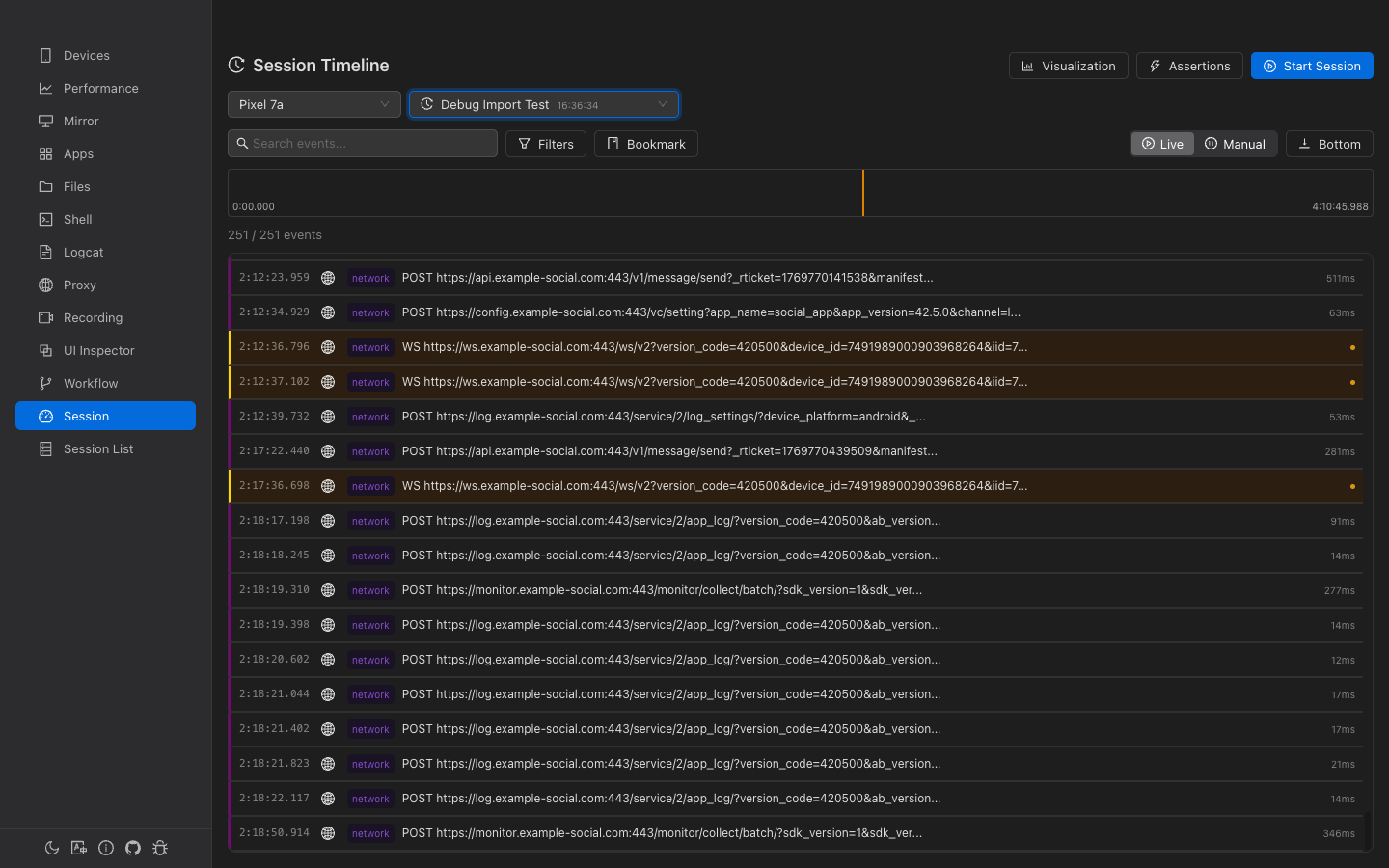
Session & Events
Unified event timeline combining logcat, network, touch, and device events. Session recording with video sync. Full-text search and bookmarks. Export session data.
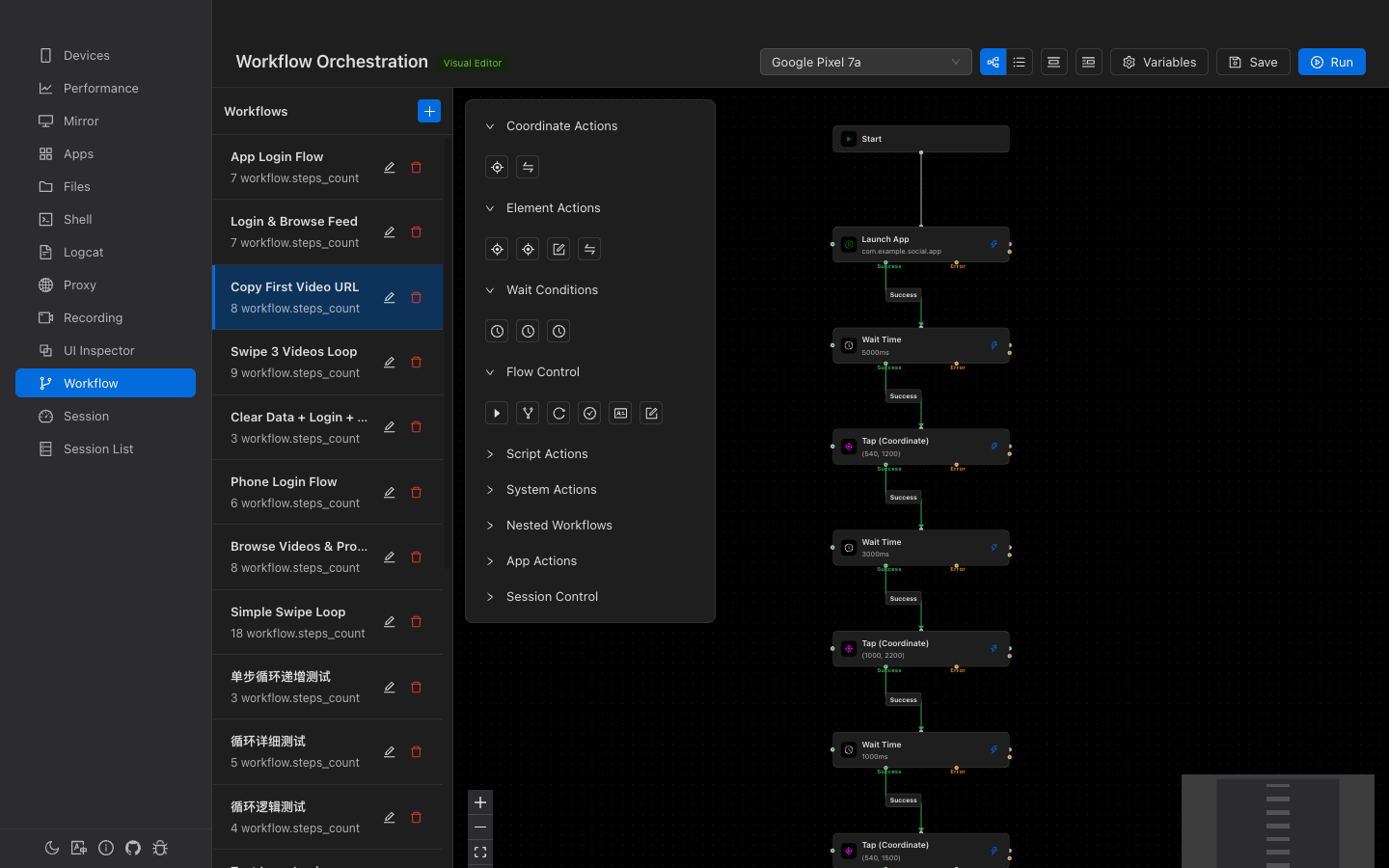
Workflow Automation
Visual node-based workflow editor with 30+ step types. Conditional branching, variables, sub-workflows. Step-by-step debugging. Session integration for test reporting.
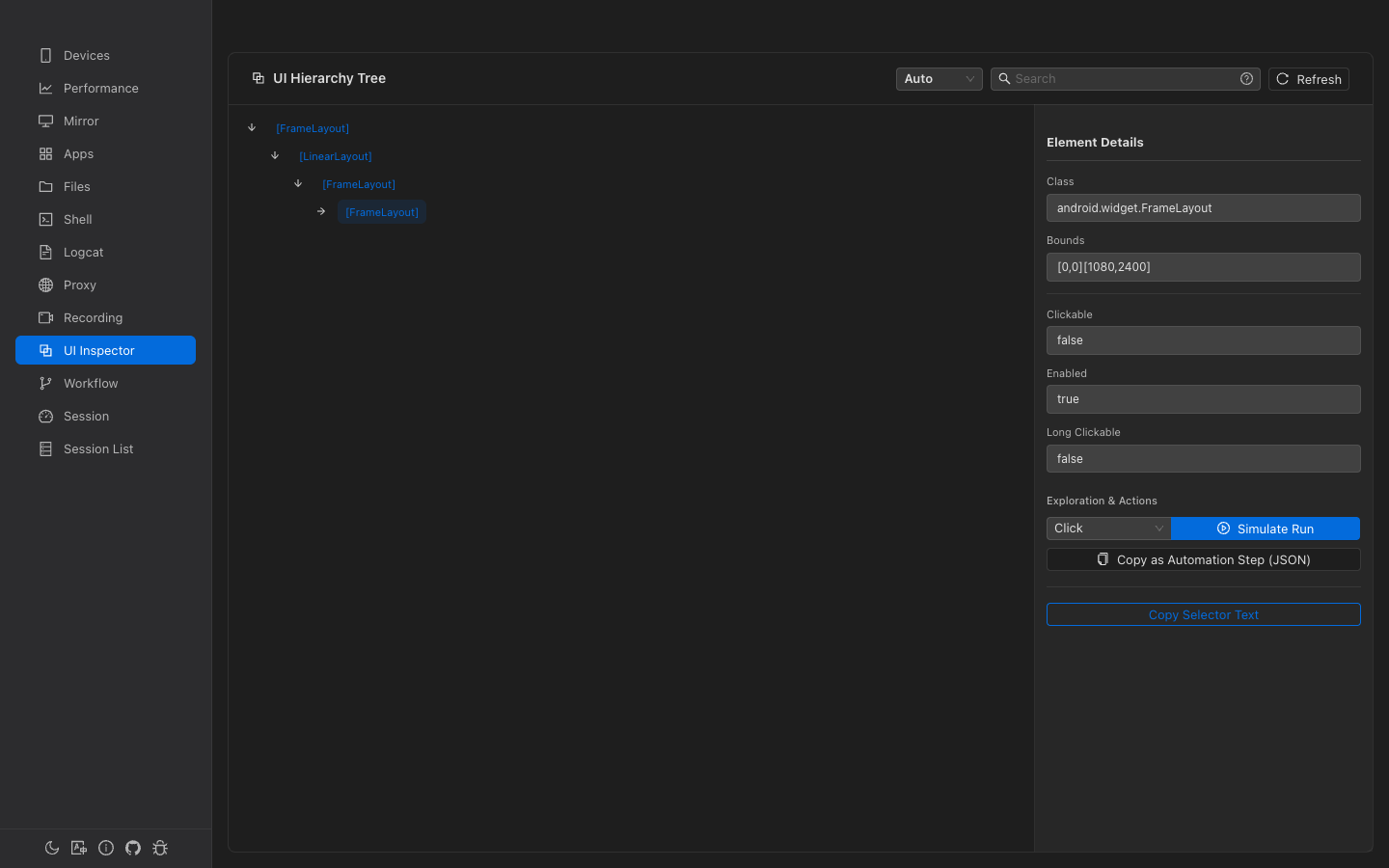
UI Inspector
Browse full UI hierarchy tree. Inspect element properties, bounds, and attributes. Touch recording for automation scripts. Element-based actions with selectors.
MCP Integration Model Context Protocol
Gaze includes a built-in MCP server, allowing AI assistants like Claude and Cursor to directly control Android devices — device management, app operations, UI automation, network capture, and more.
Setup
Add to claude_desktop_config.json
macOS: ~/Library/Application Support/Claude/
Windows: %APPDATA%\Claude\
Run in terminal:
Add to .cursor/mcp.json in your project root:
Replace the path with the actual location of your Gaze binary. On Windows use the .exe path.
Available Tools (54)
device_listList connected devicesdevice_infoGet device detailsdevice_connectConnect via networkdevice_disconnectDisconnect devicedevice_pairWireless pairingdevice_wirelessSwitch to wireless ADBdevice_ipGet device IPadb_executeRun any ADB commandaapt_executeAPK analysisffmpeg_executeVideo/audio processingffprobe_executeMedia file analysisapp_listList installed appsapp_infoApp detailsapp_startLaunch appapp_stopForce stopapp_runningCheck running statusapp_installInstall APKapp_uninstallUninstall appapp_clear_dataClear app datascreen_screenshotTake screenshot (base64)screen_record_startStart recordingscreen_record_stopStop recordingscreen_recording_statusCheck recording stateui_hierarchyGet UI layout treeui_searchSearch UI elementsui_tapTap element/coordinatesui_swipeSwipe gestureui_inputInput textui_resolutionGet screen resolutionsession_createCreate tracking sessionsession_endEnd sessionsession_activeGet active sessionsession_listList sessionssession_eventsQuery eventssession_statsSession statisticsworkflow_listList workflowsworkflow_getGet workflow detailsworkflow_createCreate workflowworkflow_updateUpdate workflowworkflow_deleteDelete workflowworkflow_runRun on deviceworkflow_stopStop executionworkflow_pausePause executionworkflow_resumeResume executionworkflow_step_nextStep-by-step debugworkflow_statusCheck run statusworkflow_execute_stepExecute single stepproxy_startStart HTTP/HTTPS proxyproxy_stopStop proxyproxy_statusGet proxy statusvideo_frameExtract frame at timevideo_metadataGet video metadatasession_video_frameFrame from session recordingsession_video_infoSession video infoResources
gaze://devicesConnected Android devices (JSON)gaze://devices/{deviceId}Device detailsgaze://sessionsActive and recent sessions (JSON)workflow://listAll saved workflows (JSON)workflow://{workflowId}Workflow details with stepsTroubleshooting
macOS "App is damaged and can't be opened"
Gatekeeper blocks unsigned apps. Run this to fix:
sudo xattr -cr /Applications/Gaze.app
Windows "Windows protected your PC"
Click "More info" → "Run anyway"