
App Manager
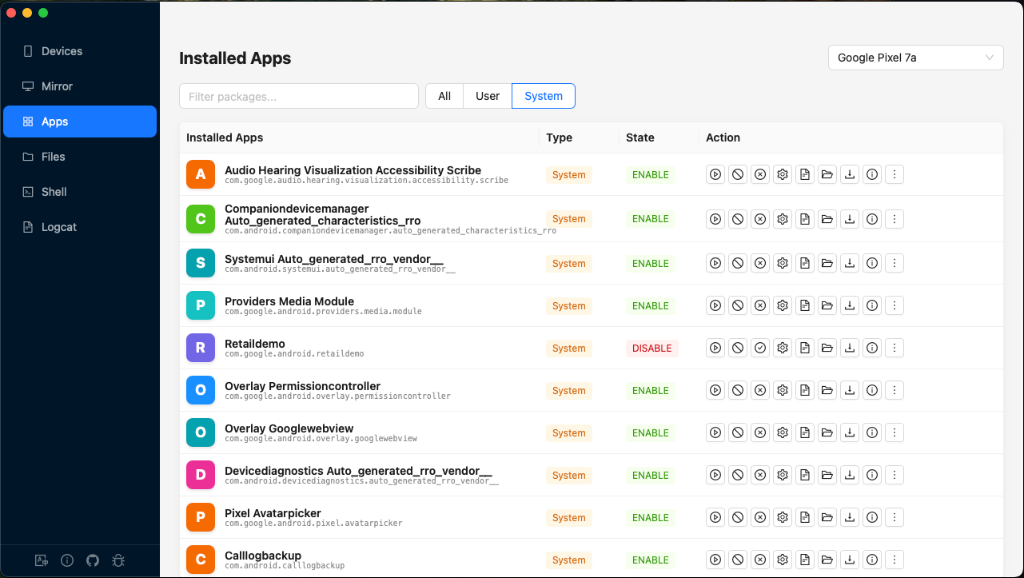
View, install, export, and manage all apps on your Android device. Supports drag-and-drop installation of APK, XAPK, and AAB files.
Overview
App List
Browse all installed apps with search filtering and type filters (User / System / All).
Drag-and-Drop Install
Drop APK, XAPK, or AAB files to install directly. Multi-file sequential install supported.
Package Details
View version info, permissions, activities, and launch specific activities.
App Operations
Launch, stop, enable/disable, export APK, clear data, and uninstall.
Toolbar

| Control | Description |
|---|---|
| Search | Filter apps by package name (case-insensitive substring match) |
| Type Filter | All / User (default) / System — re-fetches the package list when changed |
| Refresh | Re-fetch the full package list from the device |
App List
Each app row shows:
- App avatar — Colored square with the first letter of the app label
- Name & package — App label (bold) and full package name (monospace)
- Type — system or user
- State — enabled or disabled
App Actions
Each app row has the following action buttons:
| Action | Description |
|---|---|
| Launch | Force-stop then launch the app |
| Logcat | Jump to the Logcat view filtered by this package |
| Force Stop | Force-stop the running app |
| Enable / Disable | Toggle the app's enabled state |
| App Settings | Open the Android Settings detail page for this app on the device |
| Export APK | Pull the APK from the device and save locally |
| App Info | Open the detailed info modal (see below) |
| More → Clear Data | Clear the app's data and cache (with confirmation) |
| More → Uninstall | Remove the app from the device (with confirmation) |
App Info Modal
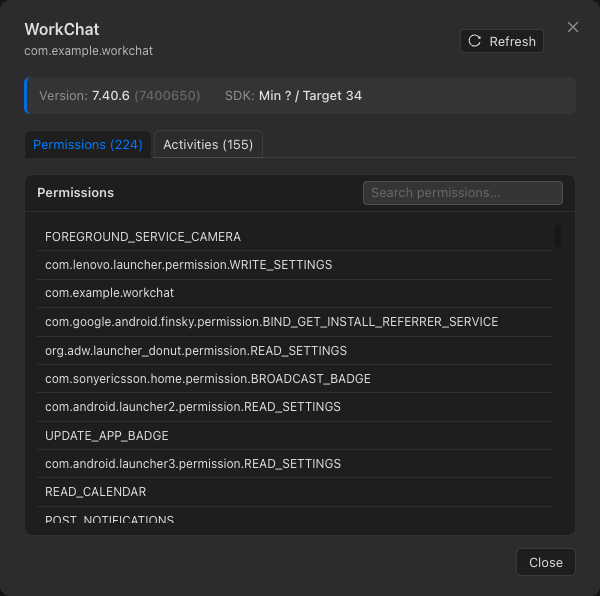
The detail modal shows comprehensive package information:
Summary Bar
- Version — Version name and code (e.g., "2.4.1 (241)")
- SDK — Minimum and target SDK versions (e.g., "Min 24 / Target 34")
Permissions Tab
Lists all declared permissions with a search filter. The android.permission. prefix is stripped for readability. Shows the total count in the tab label.
Activities Tab
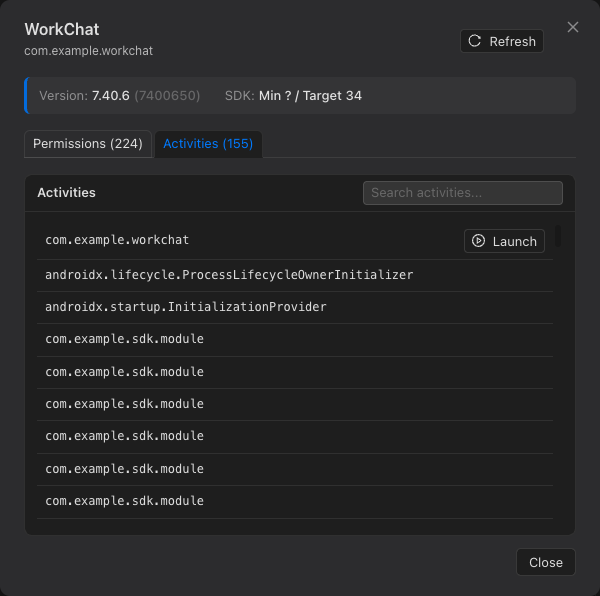
Lists all activities, sorted with launchable activities first. Each activity name is shown in monospace font. Launchable activities have a Launch button to start that specific activity directly.
Drag-and-Drop Installation
Drag package files from your computer onto the app list area to install them.
Supported Formats
| Format | Description | Install Method |
|---|---|---|
.apk | Standard Android package | adb install -r |
.xapk | Multi-APK ZIP (split APKs + OBB) | adb install-multiple |
.aab | Android App Bundle | bundletool (must be installed) |
bundletool to be installed on your system. If bundletool is not found, a friendly error message is displayed.